
🎭 Face Masks
Camera-driven 3D avatars or real-person beauty masks, with hand tracking, auto framing and a voice changer.
LIVE
Three modes
- 📷 Real video: beauty filter, blur / remove background / cartoon room / green screen, plus 13 masks (cat, dog, rabbit, bear, panda, pig, sunglasses, crown, little devil, angel halo, clown, heart eyes, flower wreath).
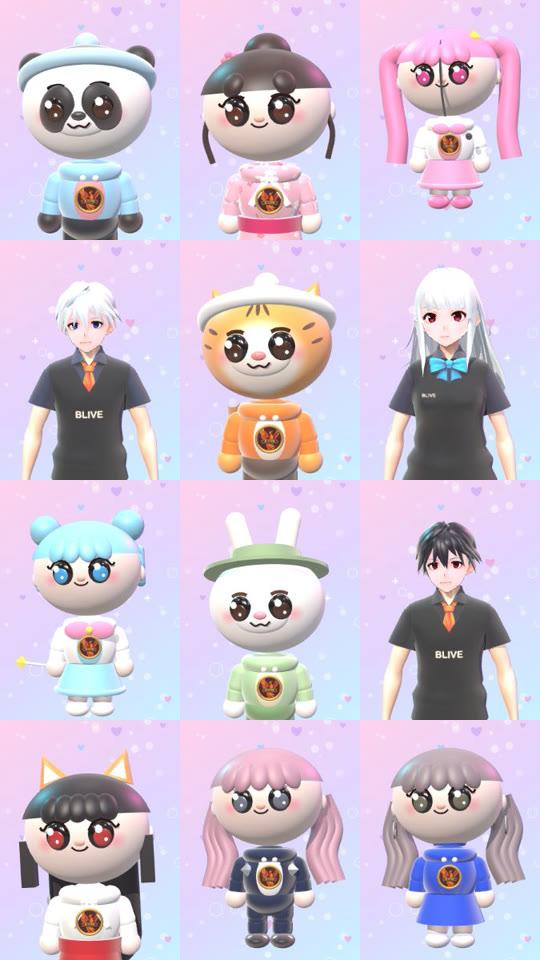
- 🧑🎤 3D avatar: 49 avatars (chibi, VRoid and more) that follow your expressions and movement, so you can stream without showing your face. You can import your own
.vrm/.glb. - 📸 Photo to avatar: generate an avatar from a single photo (requires internet).
Getting it into your stream
- In Face Masks, choose your camera and mode.
- Click the button that pops the game out into its own window.
- In your streaming software, turn off your original camera source (to avoid the camera being in use).
- Use Window Capture to grab the "BLIVE GAME (capture)" window and stretch it to fill the canvas.
Face Masks needs your local camera, so it cannot be added as a link source.
Tracking and framing
- Hand tracking: fingers follow, arms follow, gestures trigger actions, hand-on-face mimicry, full-body motion follow and left/right hand swap.
- Framing: 🔭 wide shot / ✋ manual / 🤖 auto follow (upper body or full body), with adjustable zoom.
- You can use your phone as the camera (Camo, iVCam, DroidCam, iPhone Continuity Camera).
Voice changer
- Install a virtual microphone first: on Windows, VB-Cable (install as administrator and restart afterward); on Mac, BlackHole 2ch.
- In "🎙️ Voice changer", pick a voice (original, plus girl, mature woman, boy, uncle, robot, monster, alien, chipmunk, concert, telephone, cute pet, scary ghost), and adjust pitch and volume.
- Set "Send sound to" to CABLE Input (BlackHole on Mac), and set your streaming software's microphone to CABLE Output (BlackHole on Mac).
You can also set Voice changer as a gift effect: a gift temporarily changes the streamer's voice for 10 seconds (turn on the voice changer first).